Judicial analytics
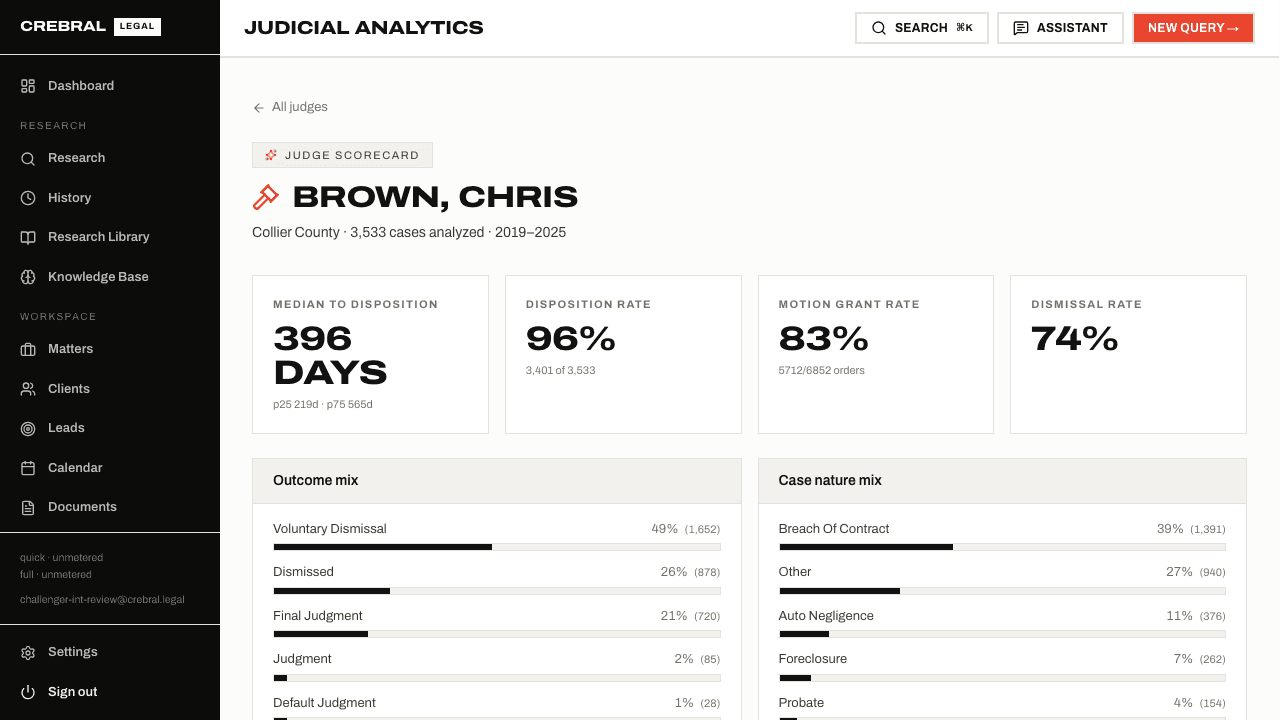
Examine time to disposition, settlement and dismissal rates, motion grant rates, case mix and the attorneys who appear before a judge most often.
Explore judges CrebralLEGAL
One workspace for litigation
Crebral began with six independent AI researchers answering the same legal question, then checking their citations and holdings against primary records. Today, that research sits alongside discovery, court intelligence, an assistant, drafting and practice management. All connected to your matters.
Florida court records collected from Miami-Dade, Lee, Collier, Charlotte and Broward; reporter citations from Free Law Project; jury instructions from The Florida Bar. Counts refresh daily. Unavailable sources show the dated last-known snapshot.
01 / Verified research
Choose a jurisdiction and ask a question. Full Consensus runs seven stages, exposing each researcher’s answer, citation checks, holding checks, dissent and an audit trail.
Quick research uses one model and checks citations against Crebral’s reporter-citation index. Guided research turns a structured intake into a Full Consensus question.
Stage 1
Search Crebral’s case-law index for citations, case names and topics, with CourtListener as a fallback.
Stage 2
Anthropic, OpenAI, Google, xAI, DeepSeek and Inception answer in parallel without seeing each other’s work.
Stage 3
Every citation is looked up in Crebral’s own index of 16.3 million reporter citations first, and in CourtListener only when the index has no match. Citations that cannot be verified are flagged.
Stage 4
Anthropic and OpenAI independently extract the holding from the opinion. DeepSeek compares those readings with the researcher’s claim.
Stage 5
Scan the opinions that cite each case for overruling, reversal, criticism and distinguishing language. When nothing can be retrieved the citation is marked unknown, never good law. This is a keyword check, not yet a citator graph.
Stage 6
Classify which researchers reached the same conclusion. Agreement is counted from that cluster, dissent is recorded, and the lead answer comes from inside the agreeing group with the citations they share.
Stage 7
A separate agent challenges citations, holdings, jurisdiction, timing, counterarguments and logic, and recommends the next review step.
Review the underlying authority before relying on an answer. Good-law signals are limited to the citing opinions retrieved.
02 / Easy Discovery
Describe the parties, issues and counsel once. Upload files, paste a Dropbox share link, or select matter documents. Discovery reads against that case profile and brings the review back to your matter.
Every document gets a first reading, and a stronger model revisits the ones that look privileged, hot or uncertain. Both reads are kept.
Ask about a set, save findings as collections, export chronology and privilege-log sheets, or send a draft into the Writing Copilot. The privilege log exports with your decisions overriding the model’s in every column.
03 / Court intelligence
Judge, counsel and expert profiles built from Florida Clerk-of-Court dockets and filings. Disposition and outcome rates are arithmetic over the records, with rule-based inferences labelled as approximate.
Examine time to disposition, settlement and dismissal rates, motion grant rates, case mix and the attorneys who appear before a judge most often.
Explore judges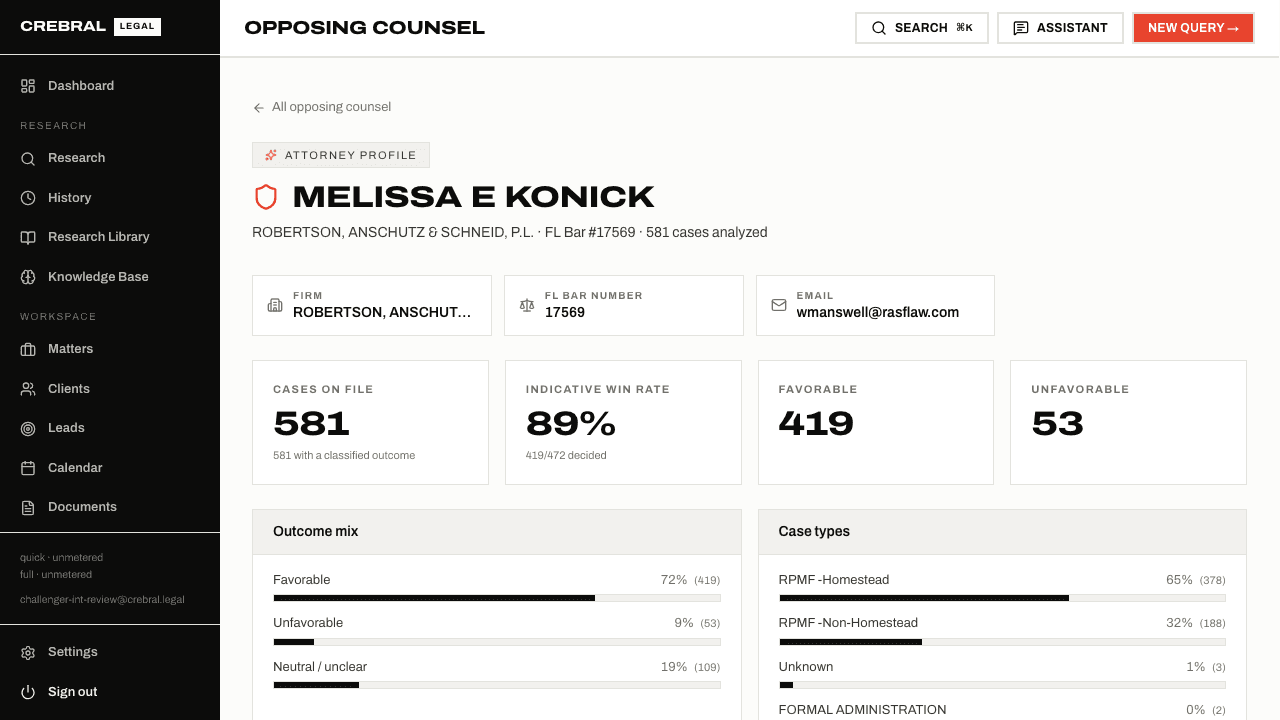
Review appearances and indicative outcomes by judge, case type and county. Firm families connect name variants. Claim your own record to correct firm and contact details.
Explore attorneysFind credentials, fields and case appearances extracted from filings, with retaining parties and quoted source excerpts.
Search Florida Standard Jury Instructions and model verdict forms. Court formatting rules support document export.
04 / Assistant
The assistant reads the page you are on: a matter, document, research result, bill or draft. Ask about that work without repeating the context. On a matter, it knows the discovery sets and documents waiting for a decision.
Assistant answers use a single model with retrieval. The six-model Full Consensus pipeline runs on the Research page.
05 / Drafting + Writing Copilot
Start with built-in document outlines or your firm’s templates. Draft from a research result to carry its verified citations into the document, then review changes in the Writing Copilot.
Cite Authority proposes citations checked for existence. Strengthen, Bluebook Check and Counter-Argument return pending edits for you to accept or reject.
Export Word with native tracked changes, plain Word or PDF. Court-formatted Word and PDF use the platform’s court rules.
Tabular Reviews apply questions across documents with citation checks per cell. Research and drafting feed your citation library and knowledge base.
06 / Practice management
Keep research, documents, discovery, contacts, deadlines, notes, time and bills attached to the matter. Organization members share the workspace, with clients and leads alongside it.
Research, review, draft and manage your practice in one workspace.